A while ago I went into training the reccomendor model for the Life Time Albums project basically blind. I thought I could start training without doing comprehensive exploratory data analysis because I put together the dataset myself and that being familliar with the structure of the data was enough to just start training the data. That was a silly assumption. I didn’t even get that far into splitting my data into test vs train before realizing I don’t know how I should normalize the weights, how to incorporate genre consideration into training when it seemed like the genre was stored as sets rather than a python list, and how I can generate feature vectors that might be useful to find albums that aren’t in the Listenbrainz dataset itself. It also realized it would be useful to see where album release dates skew to see the age range of users who will most likely get the best reccomendations.
So I did what I should have done before even attempting to train - I performed EDA in a Jupyter Notebook. I also went ahead and put the most interesting insights of that EDA into a streamlit dashboard: album-per-year.streamlit.app
If the deployed dashboard is not working - which is an issue on the server side of streamlit and is not an issue with my dashboard - here are the instructions to run the dashboard on your local machine:
git clone https://github.com/RishmitaR/Album-Per-Year-Data-Dashboard.git
cd Album-Per-Year-Data-Dashboard.git
pip install -r requirements.txt
streamlit run app.py
You can optionally create a annoconda or virtual environment to install the python packages in.
Here’s a representation of a louvian community generated from the genre co-occurance network built during EDA. I think these genre communities are the coolest pieces of visualization in the dashboard.
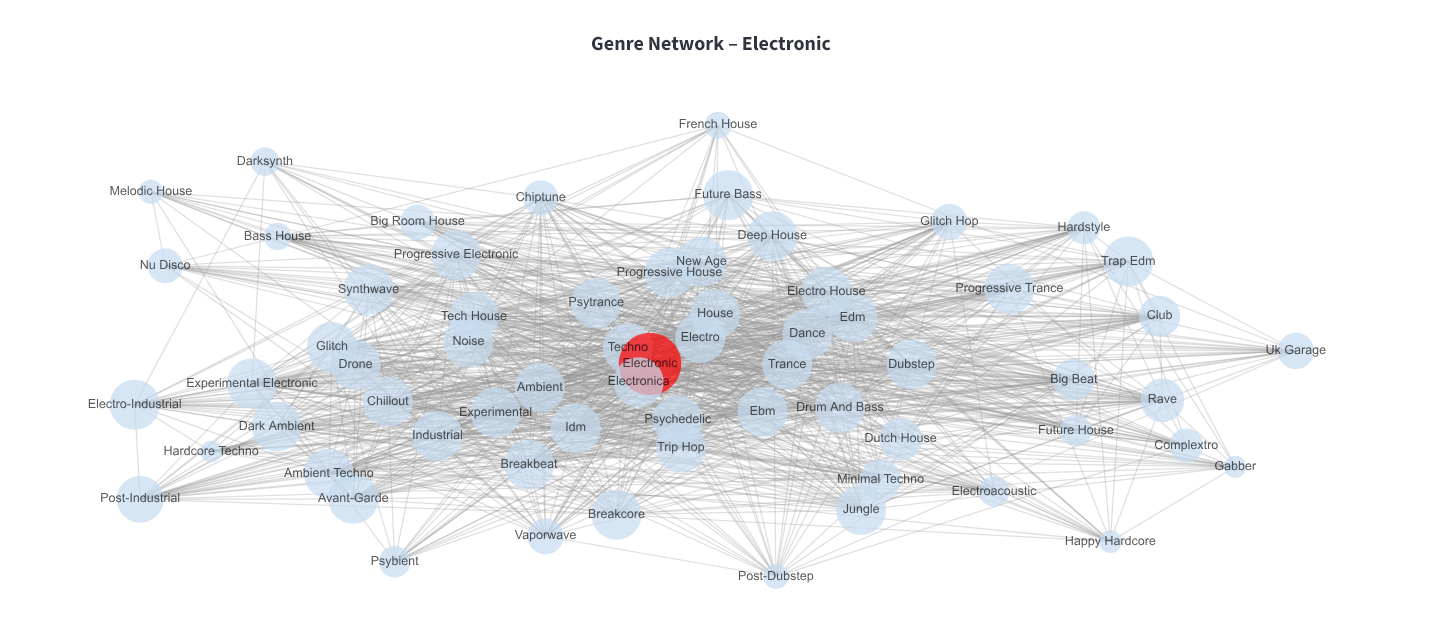
Electronic Music Genre Network
I also took making this dashboard as an oppurtunity to practice vibe-coding with Cursor’s free trial and Copilot on VsCode. I wrote a majority of functions that manipulate pandas data frames and create charts, and I asked AI agents to format it all into a dashboard based on what I’ve already done in my notebook. I think this was a good exercise in making sure I don’t frivolously prompt AI as I actually ran out of Cursor credits pretty quickly - though I do think if I had known how many calls I can make in the free version I would have prompted way less. I want to make sure I strike a balance between understanding and automation. Generally I tried to prompt with very specific instructions i.e “get the genre co-occurances by doing a groupby album_name on this data frame and plot it on a horizontal bar plot”. When I forgot to be specific and got too comfortable with the capabilities of the AI I noticed I was spending a lot of time on fixing minor issues with formatting discrpencies and ugly colors that could have been mitigated if I had given hard styling rules at the top of the prompt. As I type this all out it feels obvious, but I’m trying to give myself some slack because I’m pretty new to coding like this. I’ve used AI to supplement my coding before, but it was typically for debugging or for when I was learning a new package and needed information quickly on how to use it.
Now that it’s the era of generating code I’ve decided to start developing prompting strategies and a personal AI use philosophy. If I generate code that I don’t understand with packages I’ve never heard or if I ask the agents to write code I couldn’t think of how to write myself it’s super important I learn how the package the AI generated works, understand the code the agent generated (what all the parameters and returns are every function are, what data structures used, etc), and I should be able to make fine adjustments to generated code myself without the agent.
Overall this was a good exercise in developing my own vibe-coding strategies and philosophy, and it makes me think that I should start making prompting “cheat sheets” for different systems that I tend to build for my projects a lot (dashboards, front-end, back-end apis).